Table of Contents
- Key Takeaways
- Quick Verdict: Who Should (and Shouldn’t) Buy the Metra iBEAM
- Product Overview & Specifications
- Real-World Performance & Feature Analysis
- Design & Build Quality: The OEM Illusion
- Performance in Real Use: Day vs. Night
- Ease of Use: Set It and (Mostly) Forget It
- Durability & Reliability
- Pros & Cons
- Comparison & Alternatives
- Buying Guide: Who Should Buy This Monitor?
- Frequently Asked Questions
Let’s be honest: factory rearview mirrors are archaic. That tiny rectangle of glass does little to combat the massive blind spots created by modern vehicle designs, especially when you’re backing up a packed SUV or trying to parallel park on a crowded street. I’ve installed dozens of backup camera systems over the years, and the monitor’s placement is often the weakest link—stuck awkwardly on the dash or buried in an infotainment screen you have to navigate away from your music or maps.
The Metra iBEAM promises a more integrated solution by replacing your entire mirror with a 4.5-inch display. But does this approach deliver a genuinely safer driving experience, or does it introduce new frustrations? I installed one in my daily driver for two weeks of school runs, grocery trips, and highway commuting to find out where it excels and where it falls short.
Key Takeaways
- Sleek, OEM-style integration that looks like it belongs in your car, not an afterthought.
- Image quality is functional but not exceptional; sufficient for parking maneuvers but grainy in low light compared to premium models.
- Installation is straightforward for a DIYer with basic skills, but routing the camera cable to the rear of the vehicle is the real challenge.
- Best for drivers wanting a clean, permanent safety upgrade without a cluttered dashboard.
- Not ideal for those who frequently adjust their mirror or need night vision capabilities.
Quick Verdict: Who Should (and Shouldn’t) Buy the Metra iBEAM
After living with the Metra iBEAM, my verdict is clear: This is a solid, no-frills solution for drivers prioritizing a clean, integrated look over cutting-edge display technology.
Best For: Commuters, parents, and anyone using a vehicle primarily for daily errands and city driving who wants to eliminate the main rear blind spot. It’s perfect if you dislike dash-mounted screens and want a set-and-forget system.
Not Ideal For: Professional drivers, ride-share operators, or anyone who does significant nighttime driving. The lack of advanced features like a DVR, superior low-light performance, or wide dynamic range will be a dealbreaker if you need more than basic backup assistance.
Core Strengths: Discreet OEM-style design, simple operation, reliable daytime performance.
Core Weaknesses: Average image quality in challenging conditions, no advanced features like recording, mirror adjustment can feel different.
Product Overview & Specifications
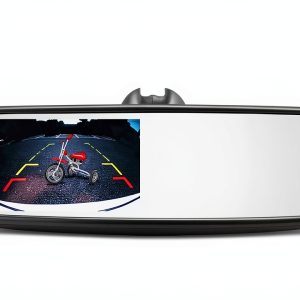
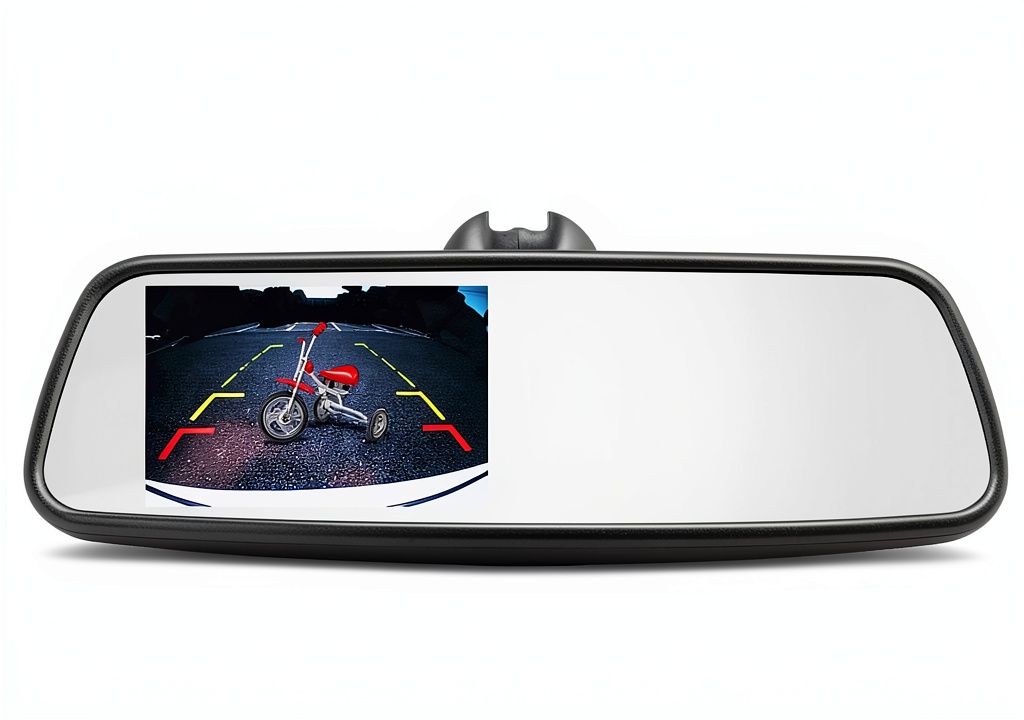
The Metra iBEAM is a direct replacement for your vehicle’s standard rearview mirror. At its heart is a 4.5-inch LCD screen that displays a live feed from a backup camera (sold separately) whenever you shift into reverse. The idea is elegant: you look where you naturally would for a rear view, but instead of a reflection, you see a video feed that reveals what’s directly behind your bumper.
| Specification | Details |
|---|---|
| Display Size | 4.5-inch TFT LCD |
| Resolution | Approx. 480×272 pixels |
| Input | RCA Video Input (for camera) |
| Power | 12V DC (typically wired to reverse light) |
| Mounting | Universal bracket for replacing existing mirror |
| Included | Monitor, wiring harness, mounting hardware |
| Camera | Sold separately |
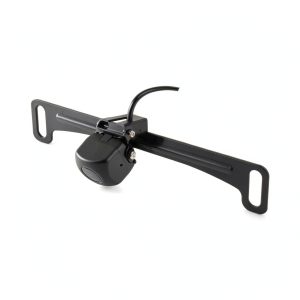
The critical thing to understand is that this is just a monitor. You must purchase a compatible backup camera and run the wiring from the back of your vehicle to the mirror. This is the most labor-intensive part of the installation.
Real-World Performance & Feature Analysis
Design & Build Quality: The OEM Illusion
Sliding the iBEAM out of the box, the first impression is positive. The black housing has a matte, non-reflective finish that blends seamlessly with most modern car interiors. It doesn’t scream “aftermarket.” The build feels robust, with no creaks or flex when handled. Replacing the factory mirror is a matter of loosening a set screw, sliding off the old one, and attaching the iBEAM’s universal mount.
The trade-off: While the universal mount works, it doesn’t have the refined, tool-less adjustment of a high-end mirror like a Wolfbox. You’ll need an Allen key for the initial setup. Once tight, it’s secure, but the ball joint doesn’t allow for the buttery-smooth one-finger adjustment you might be used to.
Performance in Real Use: Day vs. Night
During the day, the iBEAM performs admirably. The screen activates instantly when I shift into reverse, showing a clear, color-accurate view from the camera mounted on my license plate. The 4.5-inch size is a sweet spot—large enough to see obstacles clearly but not so big that it feels obtrusive. It made parallel parking my midsize SUV significantly less stressful, easily showing the curb and distance to the car behind.
The real test came at night. In a well-lit parking lot, it was fine. But on my dark residential street, the limitations showed. The image became noticeably grainy and lost detail. While I could still see large objects directly behind me, identifying something like a small child or a black tire on the asphalt would be challenging. This is where premium systems with starlight night vision sensors pull far ahead. The iBEAM gets the job done, but it won’t turn night into day.
Ease of Use: Set It and (Mostly) Forget It
Operation is dead simple. There are no buttons or menus on the mirror itself. It’s powered by the reverse light circuit, so the screen turns on automatically when you shift into reverse and turns off when you shift out. This simplicity is a huge benefit for daily use—no thinking required.
However, this simplicity is also a limitation. There’s no option to manually turn on the display while driving forward to monitor a trailer, for example. You also can’t adjust brightness, contrast, or mirror the image (critical for some camera setups). What you see is what you get.
Durability & Reliability
Over two weeks of use, including a few hot days that baked the interior, the iBEAM was perfectly reliable. It powered on every time without fail. The screen is resistant to glare, though a bright sun directly behind you can still wash it out—a common issue with all LCD screens. The housing showed no signs of softening or distortion from heat. For a product that will live in a demanding environment like a car’s interior, its build inspires confidence for long-term use.
Pros & Cons
Pros:
- Clean, Integrated Look: Eliminates dash clutter and looks like a factory installation.
- Reliable Daytime Performance: Provides a clear, wide-angle view for parking and reversing.
- Simple Operation: Fully automatic operation requires no user input.
- Sturdy Construction: Feels durable enough to withstand daily use and temperature swings.
Cons:
- Mediocre Low-Light Performance: Image quality degrades significantly in dark conditions.
- No Advanced Features: Lacks manual control, DVR, or image adjustment settings.
- Camera Not Included: Requires a separate purchase and significant installation work.
- Mirror Adjustment: Not as smooth or easy as high-end OEM mirrors.
Comparison & Alternatives
How does the Metra iBEAM stack up against the competition? Here’s a breakdown of when to choose it and when to look elsewhere.
Cheaper Alternative: Universal Dash-Mounted Monitor ($50-$80)
You can find small, standalone LCD screens that sit on your dashboard or clip to your sun visor. They connect to the same backup camera.
- Value Difference: Much lower cost and often easier to install since you don’t need to remove your mirror.
- When to Choose This: If you’re on a tight budget, drive multiple vehicles, or want a completely non-invasive installation. The trade-off is a cluttered look and a screen that’s not in your natural line of sight.
Premium Alternative: Wolfbox G840S 12″ Digital Rearview Mirror ($250-$300)
This represents the next tier up. It’s also a mirror replacement but includes a front and rear dash cam, a much larger screen, superior night vision, and a DVR.
- Value Difference: Significantly more features for about $50-$100 more. You get a complete safety system, not just a monitor.
- When to Choose This: If you want the best possible image quality, need recording capabilities for security, do a lot of night driving, or want a forward-facing camera as well. It’s a much better value for the feature set.
The Verdict: The Metra iBEAM sits in a middle ground. It’s for the user who wants a cleaner install than a dash mount but doesn’t need (or want to pay for) the advanced features of a premium digital mirror.
Buying Guide: Who Should Buy This Monitor?
Based on my testing, here’s who will get the most value from the Metra iBEAM.
Best for Beginners & Casual Users
If you’re new to backup cameras and want a simple, effective solution, the iBEAM is a great choice. The automatic operation means there’s no learning curve. The installation, while involved, is a manageable weekend project for someone comfortable with basic car electronics (connecting to a reverse light wire). The clean result will feel like a significant upgrade.
Best for Professionals Seeking a Clean Install
For fleet managers or professional installers, the iBEAM offers a reliable, OEM-looking solution that won’t invite theft or look unprofessional. Its lack of complex features is an advantage here, as it reduces potential points of failure and user error.
Not Recommended For
Avoid the Metra iBEAM if:
- You require night vision capabilities for safe nighttime reversing.
- You want to monitor a trailer while driving forward.
- You desire an all-in-one solution with a built-in dash cam.
- You are not comfortable running wires through your vehicle’s interior trim.
In these cases, a premium digital mirror or a dedicated dash cam system would be a much better fit for your needs and provide greater overall value.
Frequently Asked Questions
Q: Is the backup camera included with the Metra iBEAM?
A: No, the iBEAM is only the monitor. You must purchase a compatible backup camera separately. Look for a camera with an RCA video output.
Q: How difficult is the installation?
A: The mirror replacement itself is straightforward. The challenging part is routing the video cable from the rear of your car to the front windshield. This requires removing interior trim panels, which can be intimidating for beginners. If you’re not confident, hiring a professional installer is wise.
Q: Can I use this with an existing backup camera?
A: Yes, as long as your existing camera has a standard RCA composite video output. The iBEAM does not support more modern AHD or HDMI camera signals.
Q: Is the Metra iBEAM worth the price?
A: It’s a fair price for a well-built, integrated monitor. However, given that you need to buy a camera and potentially pay for installation, the total cost can approach that of a more feature-rich digital mirror. Its value is highest for those who specifically want a simple, clean-looking monitor and don’t need extra features.
Q: Does it work with auto-dimming mirrors?
A: No. The iBEAM will replace your existing mirror, so you will lose any auto-dimming or compass functions if your factory mirror has them.
-
-20%