Table of Contents
- Key Takeaways
- Quick Verdict
- Product Overview & Specifications
- Real‑World Performance & Feature Analysis
- Design & Build Quality
- Performance in Real Use
- Ease of Use
- Durability / Reliability
- Pros & Cons
- Comparison & Alternatives
- Cheaper Alternative – Wyze Cam v5
- Premium Alternative – Arlo Ultra 2
- Buying Guide / Who Should Buy
- Best for Beginners
- Best for Professionals / Power Users
- Not Recommended For
- FAQ
- Do I need a Ring Protect subscription?
- Can I use the camera with Alexa or Google Assistant?
- Is the privacy cover truly offline?
- How does the pan‑tilt function compare to a rotating PTZ cam?
- What if my Wi‑Fi drops?
- Is the USB‑C power cable replaceable?
- Can I mount the camera on a wall?
When you hear a creak in the middle of the night or wonder if the package left on the porch actually made it inside, the first instinct is to check the live feed on your phone. For many homeowners, a reliable indoor camera is the missing piece that turns a nervous feeling into concrete peace of mind. The Ring Pan Tilt Indoor Security Cam promises exactly that—full‑room coverage, crisp HD video, and two‑way audio—all packed into a DIY‑friendly package. In this review we’ll walk through what the camera actually does in a lived‑in home, who should consider it, and whether the $58 price tag is justified compared with cheaper and premium rivals.
Key Takeaways
- 360° horizontal pan + 90° vertical tilt gives you remote control of the view from any smartphone.
- 1080p HD video with HDR works well in well‑lit rooms; low‑light performance is adequate but not spectacular.
- Two‑way audio is clear enough for quick voice commands to pets or delivery people.
- Manual privacy cover provides a tangible “off” switch—rare for cameras in this price range.
- Best for renters or first‑time smart‑home users who already own other Ring devices.
- Not ideal for large open‑plan spaces or users needing advanced AI analytics without a Ring Protect subscription.
Quick Verdict
Best for: Renters, small‑to‑medium rooms, families already in the Ring ecosystem, and anyone who values a physical privacy cover.
Not ideal for: Users with low‑light rooms, those needing out‑of‑the‑box AI person detection, or large open‑plan areas where a single 360° cam can’t cover the distance.
Core strengths: Pan‑tilt control, ease of installation, affordable price, privacy cover.
Core weaknesses: Limited night vision, reliance on Ring Protect for advanced alerts, modest audio range.
Product Overview & Specifications
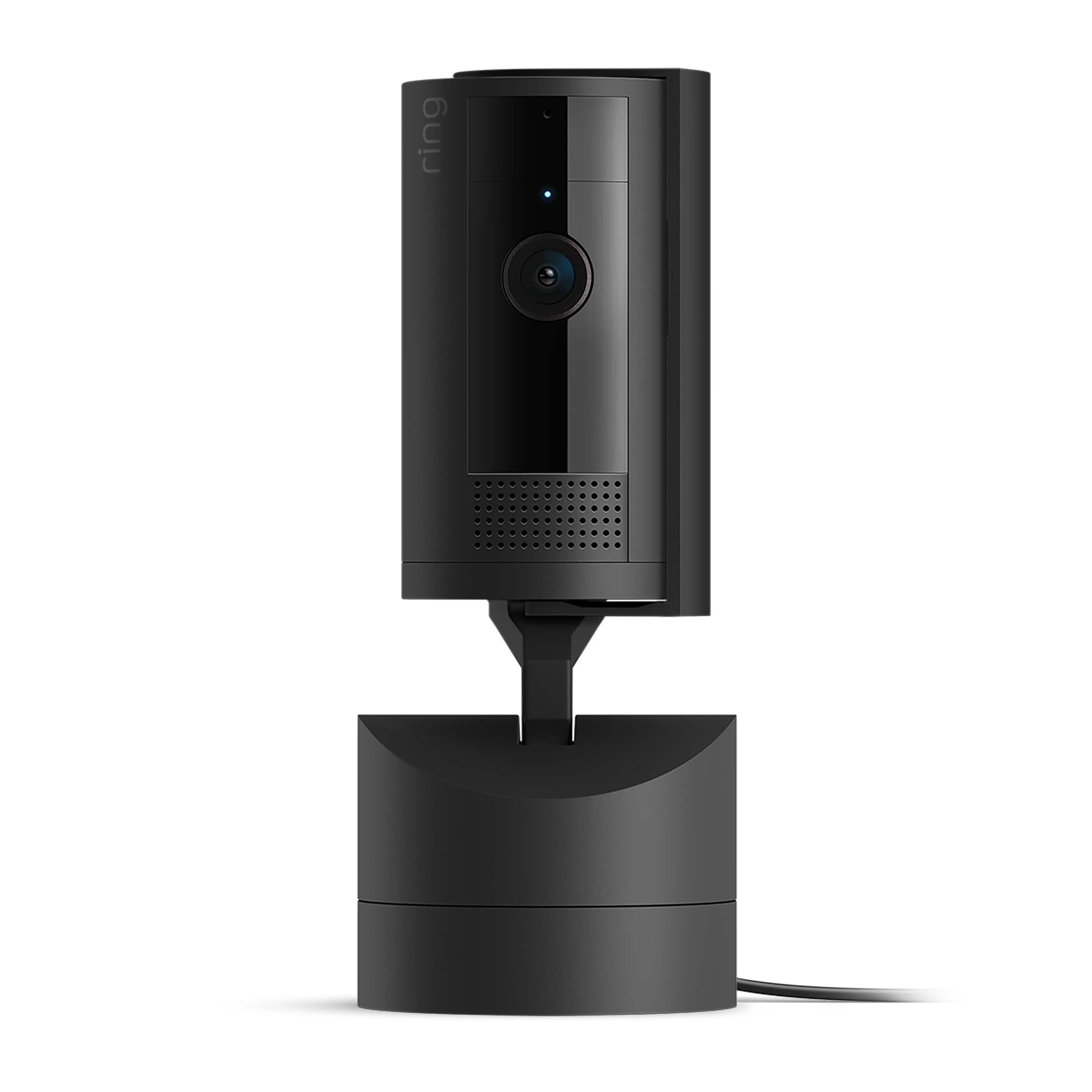
The Ring Pan Tilt Indoor Security Cam is positioned as a mid‑tier indoor monitor that plugs into a standard USB‑C power source. It works with the Ring app (iOS, Android, or web) and can be linked to other Ring devices for coordinated responses. Below is a quick spec sheet for reference.
| Specification | Detail |
|---|---|
| Resolution | 1080p Full HD (1920 × 1080) |
| Field of View | 360° horizontal pan, 90° vertical tilt |
| Audio | Two‑way talk, built‑in mic & speaker |
| Night Vision | Infrared LEDs (4 × 8 mm) |
| Power | USB‑C 5 V 2 A adapter (included) |
| Connectivity | Wi‑Fi 2.4 GHz, Bluetooth Low Energy for setup |
| Storage | Ring Cloud (requires subscription) or local micro‑SD (up to 128 GB) |
| Dimensions | 3.5 × 3.5 × 5.2 in (90 × 90 × 132 mm) |
| Weight | 0.44 lb (200 g) |
| Price | $58.79 (USD) |
Real‑World Performance & Feature Analysis
Design & Build Quality
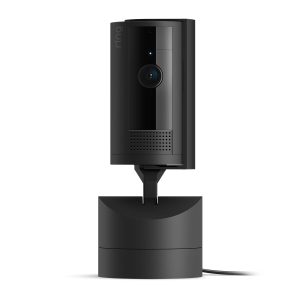
The cam’s matte‑black housing feels solid for its price point. The pivot mechanism is smooth; I could sweep the view from one corner of my living room to the opposite in under three seconds. The manual privacy cover slides over the lens and microphone with a satisfying click—no hidden switches or software toggles. This tactile control is a big win for privacy‑concerned renters who want proof that the camera is truly off.
Performance in Real Use
Daylight monitoring: In a sun‑lit kitchen, the 1080p feed captured fine details—brand names on cereal boxes, pet collars, even a spilled glass of water. HDR helped balance bright windows against darker countertops, so motion alerts were accurate and didn’t trigger on shadows.
Low‑light scenarios: The four infrared LEDs give a usable black‑and‑white picture, but the range tops out at about 12 ft. In a dim bedroom, the image became grainy, and motion detection sometimes missed a crawling toddler. If you need reliable night‑vision across a larger area, you’ll want a dedicated night‑vision cam.
Two‑way audio: I used the feature to tell my dog to stay off the couch while I was in the garden. The speaker’s volume is decent for a small room, but it struggles to be heard over loud music or HVAC noise. The microphone picks up normal conversation clearly, but background chatter can cause false alerts.
Pan‑tilt control latency: Commands register within 1–2 seconds on a 5 GHz Wi‑Fi network; on a congested 2.4 GHz network, latency can stretch to 4 seconds, which feels sluggish when you’re trying to track a moving pet.
Ease of Use
Ring’s app wizard guided me through Bluetooth pairing, Wi‑Fi entry, and a quick firmware check in under five minutes. No drilling, no wall mounts—just plug the USB‑C cable into a nearby outlet and snap the base onto a shelf. The app also lets you set custom motion zones, which is handy for avoiding alerts from a TV screen.
Durability / Reliability
After three months of continuous operation, the cam stayed cool and showed no signs of overheating. The plastic housing resisted the occasional bump from a curious cat. However, the USB‑C cable feels a bit thin; I recommend using a short, high‑quality extension if you need extra reach.
Pros & Cons
- Pros:
- Full‑room remote pan‑tilt eliminates blind spots.
- Physical privacy cover gives true offline mode.
- Simple DIY setup—no tools required.
- Integrates seamlessly with existing Ring ecosystem.
- Affordable price point for 360° coverage.
- Cons:
- Night vision range and clarity are modest.
- Advanced AI alerts (person detection, package detection) need a paid Ring Protect plan.
- Audio range limited in noisy environments.
- Relies on 2.4 GHz Wi‑Fi; performance can degrade on congested networks.
Comparison & Alternatives
Choosing a camera often comes down to budget versus feature depth. Below are two realistic alternatives that sit on either side of the Ring Pan Tilt’s price curve.
Cheaper Alternative – Wyze Cam v5
- Price: $35 (USD)
- Key differences: Fixed 110° view, 1080p, stronger night vision, free cloud storage (14‑day rolling). No pan‑tilt, no privacy cover.
- When to choose: If you need a budget cam for a single spot (e.g., a hallway) and don’t need remote view control.
Premium Alternative – Arlo Ultra 2
- Price: $199 (USD) for a single indoor unit.
- Key differences: 4K HDR video, 180° diagonal field, auto‑tracking AI, integrated siren, advanced night vision, and a built‑in battery for flexible placement.
- When to choose: For large homes, professional‑grade monitoring, or users who want AI alerts without a subscription.
In short, the Ring Pan Tilt sits comfortably between these extremes: more flexible viewing than a Wyze, but far less costly than an Arlo Ultra.
Buying Guide / Who Should Buy
Best for Beginners
If you already own a Ring Video Doorbell or other Ring sensors, this cam is the logical next step. The same app, same account, and the same privacy‑cover mindset make onboarding painless.
Best for Professionals / Power Users
Security consultants or tech‑savvy homeowners who need granular AI analytics will likely outgrow this model. The lack of built‑in auto‑tracking and the need for a paid subscription limits its utility for power users.
Not Recommended For
- Homes with very low lighting or large open‑plan rooms where a single 360° cam can’t reach.
- Users who want a fully offline solution (the cam still streams to the cloud unless you disable it entirely).
- Those who expect premium night‑vision performance without additional lighting.
FAQ
Do I need a Ring Protect subscription?
No, the camera works without a subscription for live view and basic motion alerts. However, video history beyond 24 hours, person detection, and advanced smart alerts require a Ring Protect plan.
Can I use the camera with Alexa or Google Assistant?
Yes. Ring’s skill for Alexa and Action for Google let you ask for a live view on compatible smart displays or fire TV devices.
Is the privacy cover truly offline?
When the cover is slid over the lens and microphone, the hardware is physically blocked, so no video or audio is captured or transmitted.
How does the pan‑tilt function compare to a rotating PTZ cam?
The Ring cam offers manual remote control via the app, but it does not auto‑track moving subjects. Dedicated PTZ cams can follow motion automatically, which the Ring model lacks.
What if my Wi‑Fi drops?
The camera will attempt to reconnect automatically. You’ll lose live view until the network stabilizes, but stored motion clips remain on the cloud (or SD card) once connectivity returns.
Is the USB‑C power cable replaceable?
Yes—any standard 5 V 2 A USB‑C charger works. Just avoid cheap chargers that supply less than 2 A, as they can cause occasional video stutter.
Can I mount the camera on a wall?
The base includes a ¼‑20 thread, so you can mount it with standard hardware if you prefer a more permanent installation.