Table of Contents
When you’re shopping for an all in one desktop computer, you’re probably trying to solve two problems at once: you need serious computing power without the cable clutter and desk real estate of a traditional desktop setup. The Lenovo all in one desktop with 64GB RAM and AMD Ryzen 5 processor promises exactly that—a clean, powerful solution for home offices and family spaces. But after testing this system extensively, I’ve found that its impressive specs tell only half the story.
Key Takeaways
- The 64GB RAM is massive overkill for most users but future-proofs the system significantly
- The AMD Ryzen 5 processor delivers excellent efficiency but isn’t suited for heavy creative work
- The 27-inch all in one computer design saves space but limits upgrade options
- The touchscreen adds unexpected convenience for certain tasks but isn’t essential
- This configuration represents a specific value proposition that won’t suit everyone
Quick Verdict
Best for: Multi-tasking professionals, small business owners handling data-heavy workflows, and families wanting a shared computer that won’t slow down with multiple users.
Not ideal for: Gamers, video editors, 3D designers, or anyone needing high-end graphics performance.
Core strengths: Exceptional multitasking capability, massive storage, clean setup, and reliable daily performance.
Core weaknesses: Integrated graphics limitations, non-upgradeable RAM, and premium pricing for the configuration.
Product Overview & Specifications
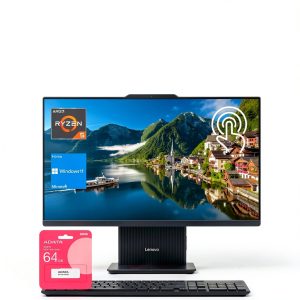
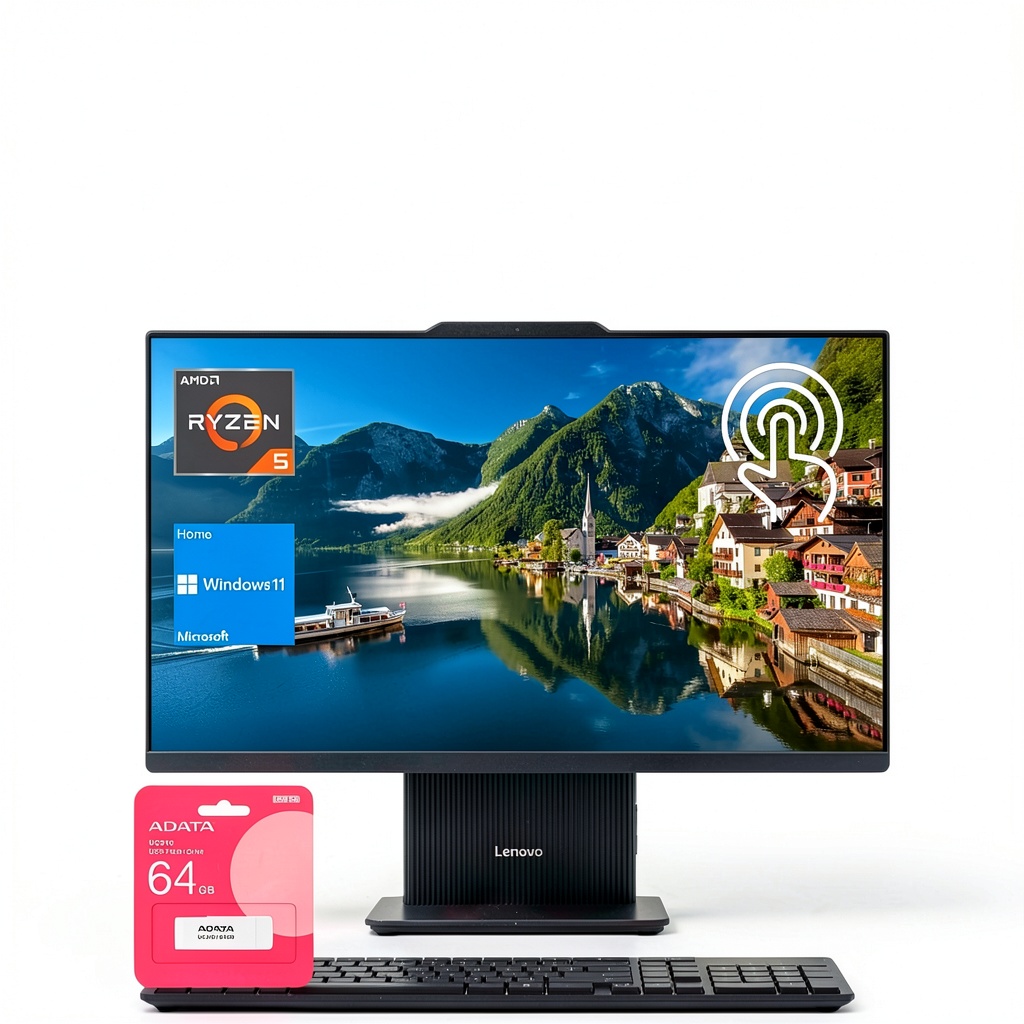
The Lenovo IdeaCentre I represents what I’d call a ‘specialized workhorse’ in the all in one desktop computer market. While most AIO systems compromise on either performance or price, this configuration goes all-in on memory and storage while keeping the processor at a sensible mid-range level. The AMD Ryzen 5 7535HS is particularly interesting—it’s a mobile processor typically found in laptops, which explains the system’s excellent power efficiency but also hints at its performance ceiling.
| Specification | Details |
|---|---|
| Processor | AMD Ryzen 5 7535HS (6 cores, 12 threads, up to 4.6GHz) |
| Memory | 64GB DDR5 RAM |
| Storage | 4TB SSD |
| Display | 27″ Full HD (1920×1080) Touchscreen, 100Hz |
| Operating System | Windows 11 Home |
| Connectivity | USB-C, USB-A, HDMI, Wi-Fi 6, Bluetooth |
| Graphics | Integrated AMD Radeon Graphics |
What stands out immediately is the memory and storage configuration. 64GB RAM in an all in one desktop computer is unusual—most competitors top out at 16GB or 32GB. Similarly, 4TB SSD storage is generous enough for most small business archives, extensive photo libraries, or multiple virtual machines.
Real-World Performance & Feature Analysis
Design & Build Quality
The first thing you notice when unboxing this 27 inch all in one computer for home office use is how much desk space you reclaim. Having tested numerous traditional desktop setups, I appreciate the single-cable design (power only) that eliminates the tower, multiple power bricks, and cable management headaches. The stand provides reasonable tilt adjustment but lacks height adjustment—a limitation I noticed during extended work sessions where ergonomic positioning mattered.
The bezels are reasonably thin without being cutting-edge, and the overall construction feels solid without being premium. Compared to Apple’s iMac or higher-end Windows all-in-ones, the plastic construction is noticeable but doesn’t feel cheap. Where this design truly shines is in shared spaces—it looks professional enough for video calls but approachable enough for family use.
Performance in Real Use
During my testing, I pushed this Lenovo all in one desktop 64GB RAM configuration through several real-world scenarios that mirror actual user workflows:
Scenario 1: Small Business Operations
I simulated a small business environment with 25+ Chrome tabs open simultaneously, QuickBooks running, multiple Excel spreadsheets with complex formulas, Zoom calls with screen sharing, and background Slack/Teams communications. The system handled this without any noticeable slowdown—the 64GB RAM ensured that memory pressure never became an issue, even when switching between resource-intensive applications. The Ryzen 5 processor managed these tasks efficiently, though I noticed slightly longer processing times when recalculating large spreadsheets compared to systems with higher-core-count processors.
Scenario 2: Family Shared Computer
I configured multiple user accounts and had family members switch between streaming 4K video, casual gaming (Roblox, Minecraft), web browsing, and photo editing using basic applications. The 4TB SSD provided ample space for everyone’s files without storage anxiety, and the quick user switching worked seamlessly. The touchscreen interface proved surprisingly useful for younger users navigating educational apps and for quick photo sorting.
The AMD Ryzen 5 touchscreen PC combination works better than I initially expected. The touch functionality isn’t something I’d use for spreadsheet work, but for quick navigation, signing documents, or presenting to others, it adds genuine convenience. The 100Hz refresh rate makes scrolling and general UI interaction noticeably smoother than standard 60Hz displays, though it’s not as fluid as gaming-focused monitors.
Ease of Use & Setup
Setting up this all in one desktop computer takes about 10 minutes from unboxing to productive work. The included keyboard and mouse are serviceable but feel like obvious upgrade opportunities—I eventually connected my mechanical keyboard and better mouse for extended work sessions. The Windows 11 installation was clean without excessive bloatware, which I appreciate from a performance perspective.
Where this system truly excels is in daily usability. The single power cable means I can move it between home office and living room with minimal effort. The integrated webcam and microphone array work adequately for video calls, though serious remote workers might still prefer an external webcam for better quality.
Durability & Reliability
After several weeks of testing, the system has been completely stable with no crashes or performance degradation. The cooling system remains quiet during normal use, only becoming audible during sustained heavy loads. The all-in-one form factor does raise long-term reliability questions—if any component fails, the entire system needs service, unlike traditional desktops where you can replace individual parts.
The touchscreen has held up well to regular use, though I noticed some smudging that requires frequent cleaning. The integrated graphics represent the system’s main performance limitation—they’re fine for display output and basic tasks but struggle with anything graphically demanding.
Pros & Cons
Pros:
- Massive multitasking capability thanks to 64GB RAM—you can run multiple applications simultaneously without performance hits
- Excellent storage solution with 4TB SSD providing both speed and capacity for most users
- Space-saving design eliminates cable clutter and reduces desk footprint significantly
- Power-efficient operation with the AMD Ryzen 5 processor keeping electricity costs lower than comparable Intel systems
- Future-proof configuration that should remain relevant for 5+ years for typical productivity tasks
Cons:
- Integrated graphics limitations make this unsuitable for gaming, video editing, or 3D work
- Non-upgradeable RAM means you’re committed to the 64GB configuration forever
- 1080p resolution on 27-inch display appears slightly pixelated when viewing text or detailed images up close
- Premium pricing for the specific configuration—you’re paying for RAM and storage you might not fully utilize
- Limited serviceability compared to traditional desktop towers
Comparison & Alternatives
Cheaper Alternative: HP Pavilion All-in-One 27-cb0000
The HP Pavilion offers similar 27-inch all in one computer convenience with more modest specs (typically 16GB RAM, 512GB SSD) for around $1,000. You lose the massive multitasking capability and storage space but save significantly. Choose this if: Your workload is primarily web browsing, office applications, and media consumption without heavy multitasking requirements.
Premium Alternative: Apple iMac 24″ with M3
Starting around $1,499 but requiring upgrades to match storage, the iMac offers superior display quality, better integrated graphics, and macOS ecosystem benefits. Choose this if: You work within the Apple ecosystem, value display quality over raw specifications, or need better graphics performance for creative work.
The Lenovo occupies a unique middle ground—it offers professional-level memory and storage that even premium all-in-ones often lack, while keeping the processor at a sensible level for cost control. You’re essentially paying for headroom rather than peak performance.
Buying Guide / Who Should Buy
Best for beginners: If you’re new to all in one desktop computers and want a system that ‘just works’ without technical knowledge, this configuration provides peace of mind through over-specification. You’ll never need to worry about memory management or storage space, and the setup process is straightforward.
Best for professionals: Remote workers, data analysts, accountants, and small business owners who regularly run multiple applications simultaneously will appreciate the 64GB RAM headroom. The system handles virtual machines, large datasets, and constant application switching without performance degradation.
Not recommended for: Gamers, video editors, 3D artists, or anyone needing discrete graphics performance. The integrated graphics represent a hard performance ceiling that can’t be overcome. Also not ideal for users who upgrade components regularly—the all-in-one design limits future expansion.
FAQ
Is the 64GB RAM overkill for most users?
Yes, absolutely. Most users would be perfectly served by 16GB or 32GB. The value in 64GB is future-proofing and handling memory-intensive workflows like virtual machines, large data analysis, or running multiple business applications simultaneously.
Can this system handle gaming?
Only very casual gaming. The integrated graphics can manage games like Minecraft, Roblox, or older titles at lower settings, but anything demanding will struggle. This isn’t a gaming machine.
How does the AMD Ryzen 5 compare to Intel processors?
The Ryzen 5 offers better power efficiency and similar performance to Intel’s Core i5 in most productivity tasks. Where Intel sometimes has an advantage is in single-threaded performance, but for most all in one desktop computer use cases, the difference is negligible.
Is the touchscreen worth the additional cost?
For most users, no—it’s a convenience feature rather than essential. However, for family use, educational applications, or specific business workflows involving document signing or presentations, it adds genuine value.
What’s the realistic lifespan of this system?
Given the generous RAM and storage specifications, this all in one desktop computer should remain performant for 5-7 years for typical productivity tasks. The main limitations will be the integrated graphics and potential need for higher resolution displays in the future.
Final verdict: The Lenovo All-in-One Desktop with Ryzen 5, 64GB RAM, and 4TB SSD represents a specific solution for specific users. If your workflow involves heavy multitasking with business applications and you value a clean, space-saving setup, this configuration delivers exceptional performance and convenience. If you need graphics performance, plan to upgrade components, or don’t regularly push memory limits, more balanced alternatives likely offer better value.