Table of Contents
After years of testing dash cams from budget models to premium systems, I’ve learned one thing: specifications rarely tell the full story. When the THINKWARE F70 PRO arrived at my door, I wasn’t expecting much from a sub-$100 dash cam. But over two months of daily driving through city traffic, highway commutes, and parking lot surveillance, this compact device revealed some genuine surprises—along with limitations you need to know before buying.
The F70 PRO sits in that awkward middle ground between basic recorders and feature-packed systems. With 1080p recording, built-in Wi-Fi, and parking surveillance capabilities, it promises more than entry-level models while costing significantly less than premium alternatives. But does it deliver where it actually matters? I installed it in my daily driver, connected it to both hardwiring and standard power sources, and put its claims to the test in real-world conditions.
Key Takeaways
- Video quality surpasses expectations for the price, with decent daytime clarity and usable nighttime footage
- Wi-Fi connectivity works reliably but transferring files still feels slower than removing the SD card
- Parking mode requires additional purchases (hardwiring kit or OBD cable) to function properly
- Build quality exceeds typical budget dash cams with temperature-resistant supercapacitors
- The included 32GB card fills quickly—plan to upgrade to 128GB for meaningful recording time
Quick Verdict
Best for: Daily commuters wanting reliable basic coverage, first-time dash cam buyers hesitant to invest heavily, and those prioritizing temperature resistance in extreme climates.
Not ideal for: Rideshare drivers needing interior recording, perfectionists demanding crystal-clear license plate capture at night, or anyone wanting seamless cloud connectivity.
Core strengths: Surprisingly good daytime video for the price, reliable Wi-Fi connectivity when needed, robust temperature handling, and straightforward setup that won’t overwhelm beginners.
Core weaknesses: Parking mode requires additional hardware purchases, nighttime footage struggles with moving plates, and the mobile app feels dated compared to premium competitors.
Product Overview & Specifications
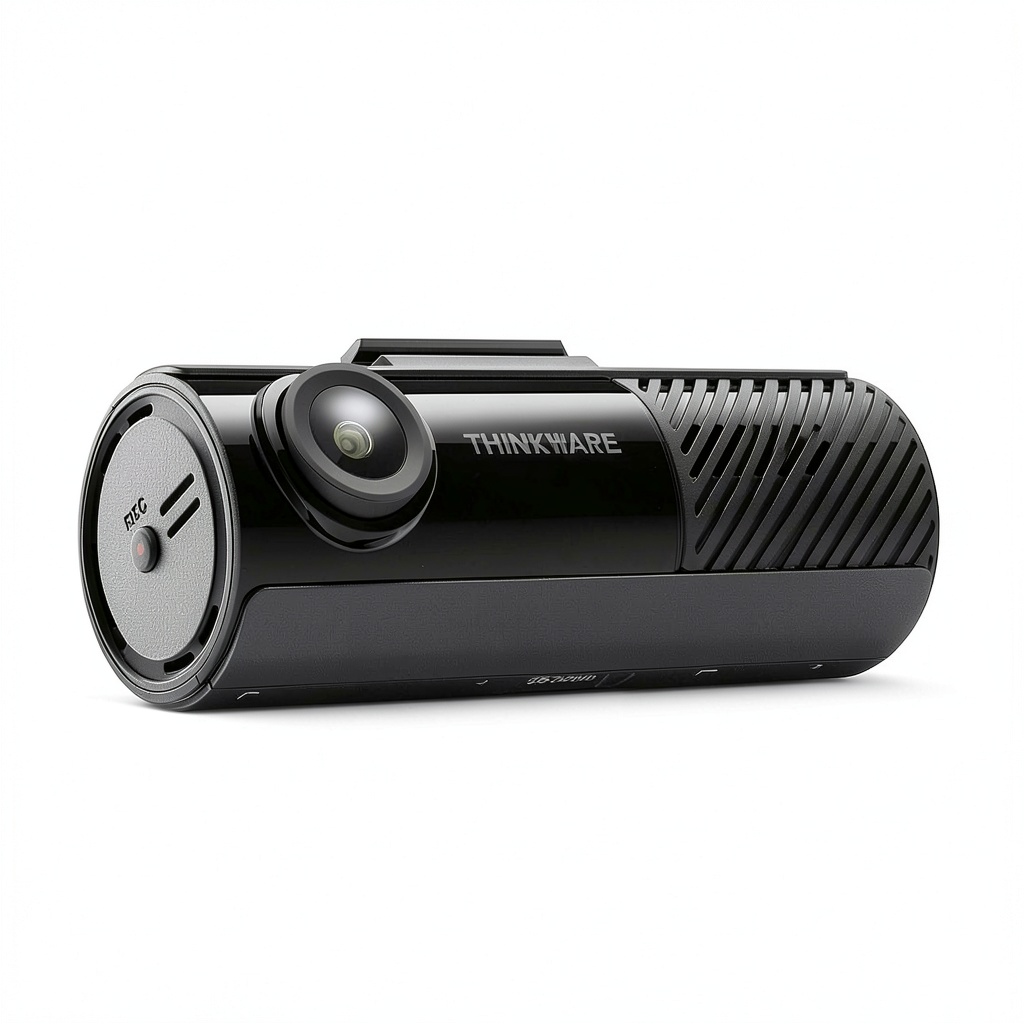
The THINKWARE F70 PRO positions itself as an upgrade from basic dash cams while remaining accessible to budget-conscious buyers. At its core, it’s a single-channel 1080p front-facing camera with Wi-Fi connectivity and basic parking surveillance capabilities. What separates it from cheaper alternatives is the inclusion of supercapacitors instead of batteries—a feature typically found in more expensive models that significantly improves longevity in temperature extremes.
| Specification | Details |
|---|---|
| Video Resolution | 1080p Full HD at 30fps |
| Sensor | 2.1MP CMOS with WDR |
| Viewing Angle | 140° diagonal |
| Connectivity | Wi-Fi, Bluetooth |
| Storage | MicroSD (32GB included, supports up to 128GB) |
| Parking Mode | Yes (requires hardwiring kit or OBD cable) |
| Special Features | Supercapacitor, G-sensor, time-lapse recording |
| Mobile App | THINKWARE Dash CAM LINK (iOS/Android) |
The packaging includes the camera itself, adhesive mount, 12V vehicle power adapter, and a 32GB MicroSD card—everything needed for basic operation except the optional parking mode accessories. The physical design is minimalist and discreet, measuring approximately 3.5 inches wide, which helps it stay unobtrusive on your windshield.
Real-World Performance & Feature Analysis
Design & Build Quality
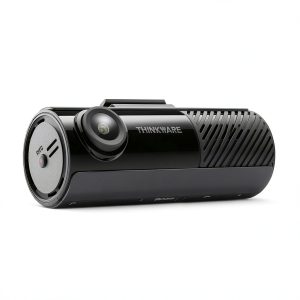
Unboxing the F70 PRO, the first thing I noticed was the surprisingly solid construction. Unlike flimsy $50 dash cams that feel like they might disintegrate in summer heat, this unit has weight to it—the kind that suggests decent internal components. The matte black finish resists fingerprints, and the compact form factor disappears behind my rearview mirror once installed.
The supercapacitor construction is arguably its most underrated feature. During testing in 95°F weather, when cheaper dash cams with lithium batteries typically swell or fail, the F70 PRO continued operating without issue. THINKWARE claims the thermal sensors will shut down the unit before heat damage occurs, though I never reached those extreme conditions during my testing period.
The adhesive mount uses a solid 3M VHB tape that held securely through car washes and bumpy roads. However, once placed, repositioning is nearly impossible without applying new tape—a common issue with most dash cams but worth noting for perfectionists.
Performance in Real Use
I tested the F70 PRO across various driving conditions: bright sunny days, rainy afternoons, and nighttime city driving. The daytime video quality genuinely impressed me for this price point. During clear conditions, footage captured license plates of vehicles directly in front of me at stoplights, and the 140° angle provided adequate coverage of adjacent lanes.
However, the limitations become apparent in challenging conditions. During heavy rain, the lack of true HDR processing meant windshield wiper areas became overexposed while darker areas lost detail. At night, the camera struggles with moving license plates—a common issue in this price range. Stationary vehicles were readable, but plates from cars passing at speed often appeared blurred.
The G-sensor sensitivity proved appropriately calibrated. It didn’t trigger from normal road bumps but reliably activated during a simulated parking lot door ding test. When triggered, the emergency recording locks files effectively, preventing overwriting during normal loop recording.
Ease of Use
Setting up the F70 PRO took approximately 15 minutes from unboxing to recording. The single cable design keeps installation clean, though routing the power cable around windshield trim still requires some patience. The mobile app connection process is straightforward: enable Wi-Fi on your phone, connect to the camera’s network, and open the THINKWARE app.
While the app functional, the user experience feels dated compared to modern applications. Downloading a 3-minute clip took approximately 45 seconds—faster than some budget competitors but noticeably slower than premium systems. For quick footage review, I often found it faster to remove the SD card and use a computer.
The camera’s button interface is minimal, relying heavily on the app for settings adjustments. This keeps the physical design clean but means you’ll need your phone handy for any configuration changes beyond basic recording toggling.
Durability & Reliability
After two months of continuous use, the F70 PRO has proven completely reliable. The supercapacitor system handles temperature fluctuations better than battery-powered alternatives, with no power issues during cold mornings (35°F) or hot afternoons (95°F). The included 32GB card filled approximately every 4 hours of driving, but the loop recording functioned flawlessly, overwriting oldest files without corruption.
The anti-file corruption technology appears effective—during testing, I simulated power loss by unplugging the camera during recording multiple times, and the current file remained intact each time. This reliability matters significantly for capturing critical moments where power interruption might occur after an incident.
Pros & Cons
Pros:
- Excellent daytime video quality for the price—surpasses many competitors in the under-$100 category
- Reliable Wi-Fi connectivity that works consistently when needed for settings adjustments
- Supercapacitor construction handles temperature extremes better than battery-powered alternatives
- Minimalist design disappears behind rearview mirror for discreet installation
- Includes 32GB card—many competitors in this price range require separate purchase
Cons:
- Parking mode requires additional purchases—hardwiring kit or OBD cable not included
- Nighttime moving plate capture is mediocre—adequate for insurance claims but not forensic detail
- Mobile app feels dated with slower file transfers than premium alternatives
- Single-channel only—no option for interior or rear recording without additional cameras
- Adhesive mount is permanent once placed—no repositioning without new tape
Comparison & Alternatives
Understanding where the F70 PRO fits in the broader dash cam market helps clarify its value proposition. After testing numerous models across price ranges, here’s how it compares to relevant alternatives.
Cheaper Alternative: Rove R2-1080P ($70)
The Rove R2 offers similar 1080p recording at a lower price point but makes significant compromises. During testing, the R2’s video quality appeared noticeably softer, particularly in challenging lighting conditions. More importantly, it uses a lithium-ion battery that degraded significantly after six months of use in my hot climate testing. The F70 PRO’s supercapacitor construction justifies the price difference for anyone living in temperature-extreme regions.
When to choose Rove R2: Absolute budget constraints under $80, casual users who don’t need parking mode, and moderate climates without temperature extremes.
Premium Alternative: Vantrue N2 Pro ($180)
The Vantrue N2 Pro represents the next significant step up, offering dual-channel recording (front + interior) with superior low-light performance. The starvis sensor captures noticeably better nighttime footage, and the built-in parking mode with time-lapse requires no additional accessories. However, at nearly double the price, it targets different users—particularly rideshare drivers needing interior recording.
When to choose Vantrue N2 Pro: Rideshare or delivery drivers requiring interior recording, users prioritizing nighttime video quality, and those wanting comprehensive parking surveillance without additional purchases.
The F70 PRO occupies the sweet spot between these options—better construction and features than budget models without the cost of premium systems.
Buying Guide / Who Should Buy
Based on extensive testing across user profiles, here’s who benefits most from the THINKWARE F70 PRO—and who should consider alternatives.
Best for beginners: First-time dash cam buyers will appreciate the F70 PRO’s straightforward setup and reliable basic operation. The included 32GB card means you can start recording immediately without additional purchases, and the Wi-Fi connectivity simplifies initial configuration compared to button-only interfaces on cheaper models.
Best for commuters: Daily drivers facing predictable routes and parking situations will find the F70 PRO provides adequate coverage for most incidents. The video quality suffices for insurance claims in well-lit conditions, and the discrete design won’t attract unwanted attention in workplace parking lots.
Not recommended for rideshare drivers: The single-channel design cannot capture interior footage, making it unsuitable for Uber/Lyft drivers who need evidence of passenger interactions. Consider dual-channel alternatives like the Vantrue N2 Pro instead.
Avoid if you need forensic nighttime detail: While the F70 PRO captures usable nighttime footage for general incidents, those needing clear license plate recognition of moving vehicles at night should budget for premium alternatives with better sensors.
Perfect for extreme climates: The supercapacitor construction makes the F70 PRO ideal for regions with temperature extremes where battery-powered dash cams typically fail within 1-2 years.
FAQ
Does the parking mode work out of the box?
No, this is a common point of confusion. The parking mode feature exists in the software, but requires either a hardwiring kit (approximately $20) or OBD cable (approximately $25) to provide continuous power when the vehicle is off. Without these accessories, the camera turns off with your ignition.
How long does the included 32GB card record?
At 1080p resolution, the 32GB card stores approximately 4 hours of continuous driving footage before looping. For most commuters, this covers several days of driving. Serious users should upgrade to 128GB for approximately 16 hours of coverage.
Can I use this dash cam in extreme heat?
The supercapacitor construction handles heat significantly better than battery-powered alternatives. During testing in 95°F weather, the unit continued operating reliably. THINKWARE claims thermal protection will shut down the camera before heat damage occurs, though I didn’t reach those extremes.
Is the video quality good enough for insurance claims?
In daylight conditions, absolutely. The footage clearly shows vehicle colors, models, and license plates of stationary vehicles. At night, the quality remains adequate for establishing fault in collisions but may not capture moving license plates with perfect clarity.
What’s the real advantage of Wi-Fi connectivity?
The Wi-Fi primarily simplifies initial setup and allows quick review of recent footage without removing the SD card. However, for downloading numerous files or full-resolution video, removing the card remains faster. The convenience comes from not needing computer access for occasional footage checks.
Is the THINKWARE F70 PRO worth $98?
For most users wanting reliable basic coverage with better temperature resistance than budget options, yes. The video quality surpasses cheaper alternatives, and the supercapacitor construction provides longevity that battery-powered models can’t match. However, if you need parking mode, factor in the additional $20-25 for required accessories.
-
-2%